Yes, you can ask customers for Google reviews, and you can reply to the ones you receive, as long as you stay inside Google's rules. Google's guidance says you may ask customers to visit a Google link or scan a QR code, but you may not offer payment, discounts or free goods for a review, discourage negative reviews or ask only happy customers. This guide gives small service businesses in Istanbul, and teams serving international buyers, a short routine: who may be asked and when, how to word the request, how to reply to praise and criticism, and what to record. It includes a fictional example and a review record to copy. Reviews are one signal among many; this routine cannot guarantee a rating, a ranking or more enquiries, and it is not legal advice.
Start from what Google allows and prohibits
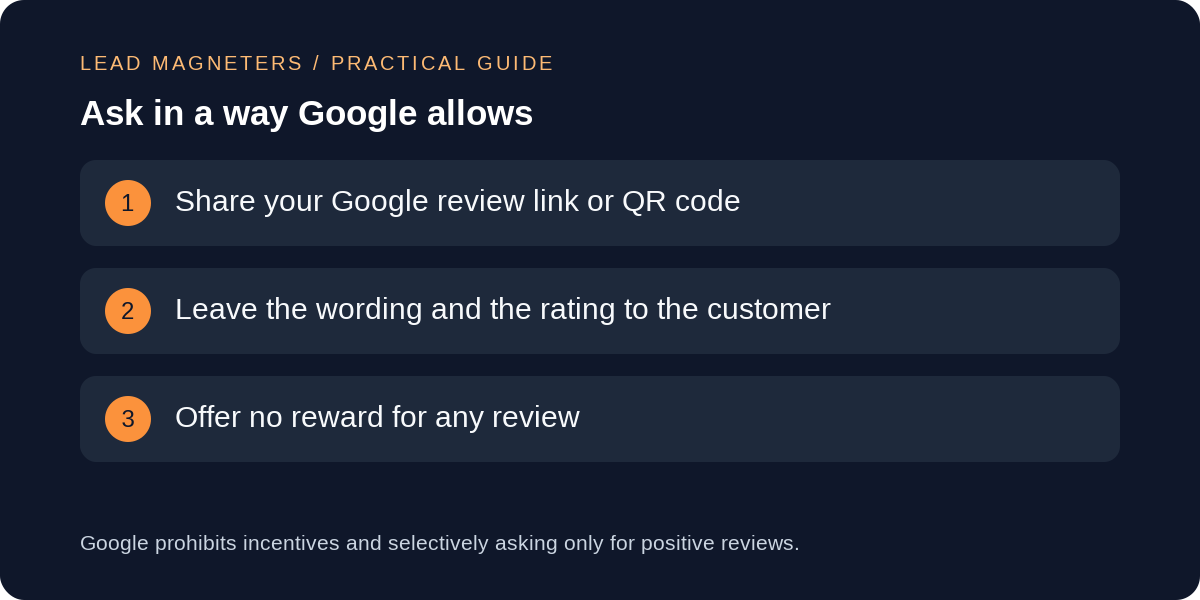
Google's tips page states that reviews must reflect a genuine experience, and that offering incentives such as free or discounted goods or services in exchange for posting, changing or removing a review is strictly prohibited. The prohibited content policy goes further: it does not allow merchants to discourage or prohibit negative reviews or to selectively solicit positive reviews from customers.
The same policy says merchants may solicit or encourage genuine reviews without offering incentives or trying to influence the rating or contents. It also says businesses should not require or pressure people to review while on the premises, ask staff to collect a set number of reviews or request that specific content, such as a staff member's name, be included. Put these points at the top of your routine so every team member reads them first.
Decide who is asked, and when
Write one plain rule for who receives a request: for example, every customer whose project is complete and who has agreed to be contacted. The rule matters because selecting only customers you expect to be happy is selective solicitation, which Google's policy does not allow. If a customer has an unresolved complaint, deal with the complaint first, then apply the same rule as for everyone else.
Choose a moment when the customer can recall the work, such as after delivery or the final handover call, and send the request once with at most one gentle reminder. Keep the request separate from the invoice and from any discussion of price so that nobody feels the review is part of the deal. Record the date each request was sent and who sent it.
Use the Google link or QR code and neutral wording
Google's tips page says you can ask customers to visit a Google link or scan a QR code, and it points to a help article on creating them. Use the link generated from your own verified profile rather than a third-party shortcut so customers land on the right business. Remember that customers must be signed in to a Google Account to leave a review, so tell them it takes a minute and that a sign-in is needed.
Keep the message short, polite and free of instructions about what to write. A neutral request might say that your team would value an honest review of their experience and give the link. Do not suggest a star rating, supply a script or promise anything in return. If a customer asks what to say, tell them to describe their own experience in their own words.
Check your business listings for consistency →
Reply to praise with something specific
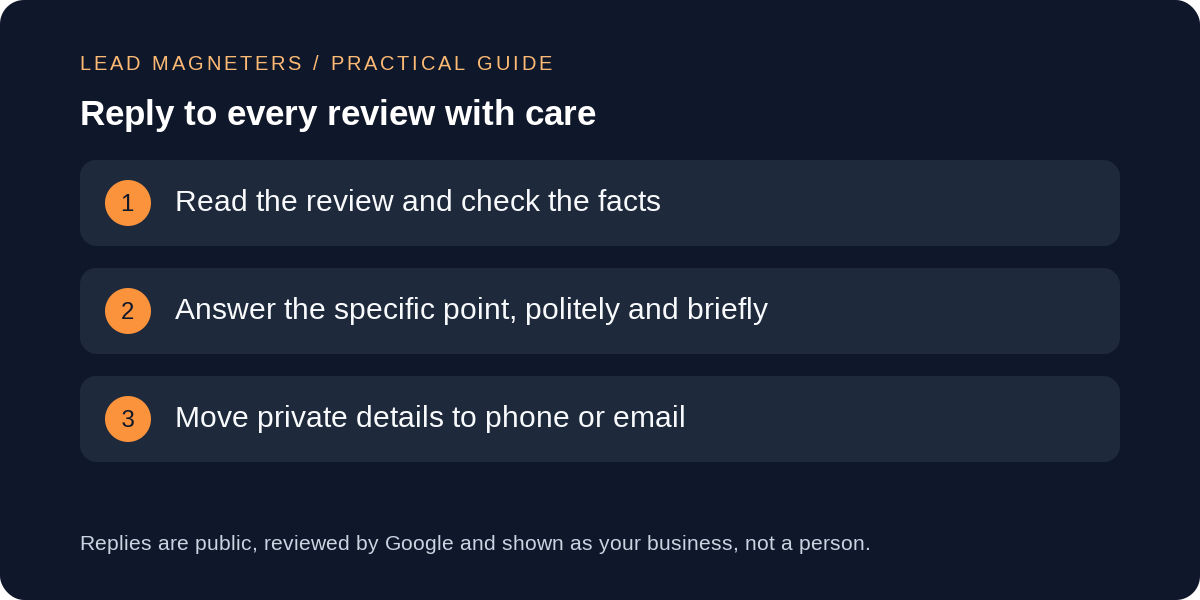
Google's guidance on replies asks you to be professional and polite, keep replies short and avoid sending the same thank-you to everyone. It suggests concentrating on reviews where you can add a useful update or answer a question, and it advises being conversational rather than promotional, so do not use a reply to advertise a deal.
Before you can reply, the business must be verified. To reply, open your Business Profile, choose Read reviews, select Reply next to the review and write your answer. Google reviews each reply against its content policies, usually within about ten minutes but sometimes up to 30 days, and it posts under your business name, not a personal name. The reviewer is notified and may update their review afterwards.
Reply to criticism without arguing
Google describes negative reviews as an opportunity to understand customer expectations, not automatically a sign of poor practice. Its tips are to protect privacy and avoid personal attacks, never share a reviewer's private information, be honest about mistakes and about what is outside your control, apologise where appropriate, personalise the reply and respond promptly. If a case is complicated, invite the reviewer to continue by phone or email.
If you believe a review breaks Google's content policies, for example it is clearly fake, about a different business or posted by someone with a conflict of interest, you can flag it through Google's reporting process. Flagging is a request for review, not a removal guarantee, and you should never ask a customer to delete or change a review in exchange for anything, which the policy treats as prohibited.
A fictional example and a review record
Imagine Kadikoy Studio Works, an invented web design studio in Istanbul. It asks every client whose project is delivered and who agreed to contact, using the same short email and its own Google review link, with one reminder after two weeks. A client leaves a three-star review saying the handover was slow. The studio checks its project notes, confirms the delay, and replies briefly: it acknowledges the slow handover, explains what it has changed in its checklist and invites the client to phone the project lead.
The studio keeps a small record with the date a request was sent, the rule that selected the customer, the review date, the reply date and who approved the reply. The example is invented and shows no client or result. Counting reviews is not the aim: the record shows that every eligible customer was treated the same way and that replies stayed truthful.