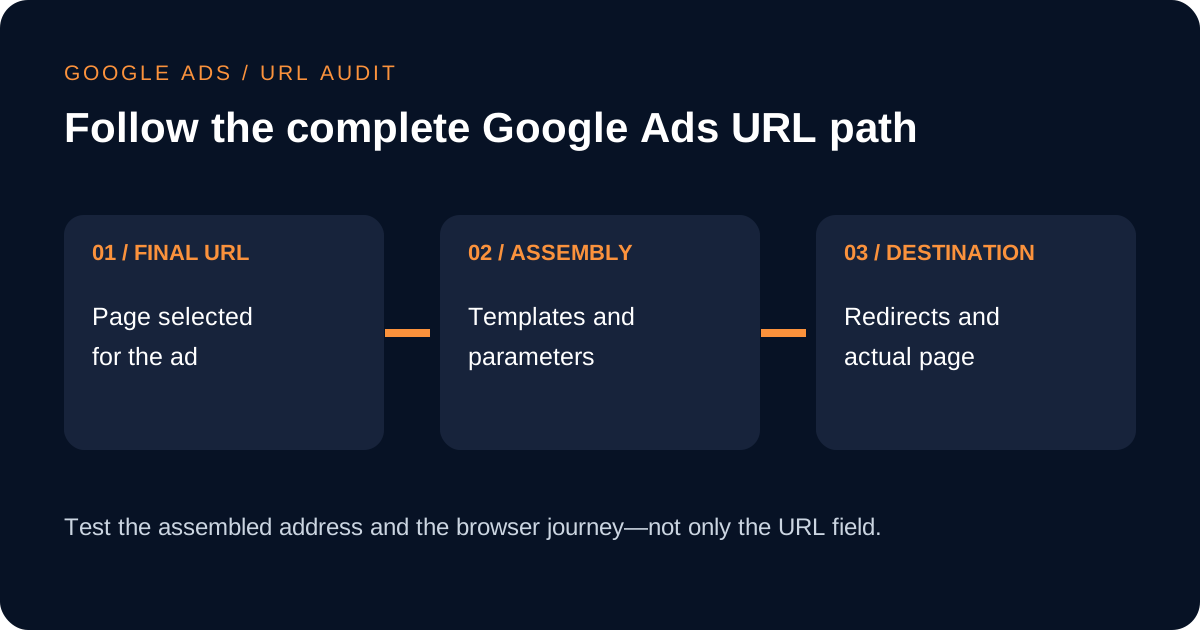
A Google Ads expanded landing page audit checks the destination a customer actually receives after the platform combines a final URL with tracking templates and parameters. The result can differ from the short address entered in an ad, and automated campaign features can sometimes select another eligible page from the same site. For a service business, an unnoticed redirect, outdated offer, wrong language, missing phone number or malformed tracking parameter can waste a relevant click before the sales team has a chance to respond. Google Ads provides a Landing pages report and defines the expanded URL as the fully assembled ad URL. This checklist explains how to use those concepts without treating one dashboard metric as a complete diagnosis. It separates technical access, message continuity, mobile usability and measurement, then assigns evidence and ownership for every correction.
Separate the final URL, expanded URL and display URL
Begin by naming each address correctly. The final URL is the landing page entered for the ad or asset. The display URL is the simplified address a person sees with the advertisement. Google defines the expanded URL as the final URL combined with any applicable tracking template and parameters. If the account uses no tracking template, the expanded and final URLs should normally match. Confusing these fields makes it easy to test one address while customers receive another assembled version.
Create a register with campaign, ad group, ad or asset, final URL, expanded URL, device, language and responsible page owner. Record only the fields needed for the review; do not copy customer identifiers into the register. For each item, state the intended service and action. A page that loads successfully can still be wrong if the ad promises a consultation in Arabic and the destination opens a generic English homepage with no matching route.
Use the Landing pages report as an inventory
Google's Landing pages report lists destination performance for supported campaign types and provides a way to inspect expanded landing pages. Use it to identify which URLs have received traffic, which versions appear after assembly and where mobile checks need attention. Segment the review by campaign and device when that helps explain a problem. A high-click page deserves early inspection because even a small defect can affect many visits, but low-volume pages still require a valid destination before they are allowed to serve.
Treat report totals as a starting point rather than proof that a page works. Open authorised test routes on a phone and desktop, preferably without clicking a live ad and incurring unnecessary cost. Confirm the response, secure connection, redirect destination, page language and primary enquiry control. Save the tested expanded URL and time because a template, redirect or page release can change later. If the report shows several parameter variants of the same page, decide whether they are legitimate measurement variants or evidence of inconsistent configuration.
Test templates and parameters without breaking the destination
Google separates tracking information from the final URL through tracking templates and final URL suffixes. A template may use ValueTrack parameters such as the landing-page placeholder and campaign attributes. The assembled result must remain a valid address. Check where the question mark and ampersand appear, how reserved characters are encoded and whether a static tracking address accidentally replaces the intended landing page. Use the platform's test function where available, then verify the resulting browser destination.
Document which level owns each setting because account, campaign, ad group, ad and asset configuration can interact. Avoid adding the same UTM fields in several places, since duplicate keys can create ambiguous analytics reports. If a third-party tracker is involved, confirm the authorised domain and redirect behaviour. Google requires final and display destinations to meet its domain rules, and cross-domain tracking belongs in the supported tracking configuration rather than being disguised as the advertised page.
Connect campaign links with measurement ownership →
Review automated final URL expansion deliberately
Final URL expansion can allow eligible campaigns to send a person to another relevant page on the advertiser's domain. Google documents this for Performance Max and, when enabled, for AI Max in Search. The feature can broaden the set of landing pages beyond the manually supplied URL. That does not make every indexable page an appropriate advertising destination. Old event pages, recruitment pages, privacy notices, thin tag archives and unsupported-language pages may need exclusions depending on the campaign objective.
List the parts of the site that may receive paid traffic and the parts that should not. Review automatically selected URLs in the available reporting, then compare the selected page with the query theme, generated or supplied ad message and conversion path. Use URL inclusions, exclusions or a narrower campaign setting when the business needs control. Do not disable automation solely because one page was poor; first decide whether the page, site structure or campaign guardrails caused the mismatch and record the chosen remedy.
Check message continuity and the mobile enquiry path
Read the ad and landing page as one customer journey. The page should make the advertised service, relevant location or delivery area and next action easy to recognise without forcing the visitor to decode a generic homepage. Check that evidence on the page supports the claim made in the ad. Do not add an unsupported price, certification or service area merely to repeat campaign copy. When a claim cannot be supported, correct the ad or destination before buying more traffic.
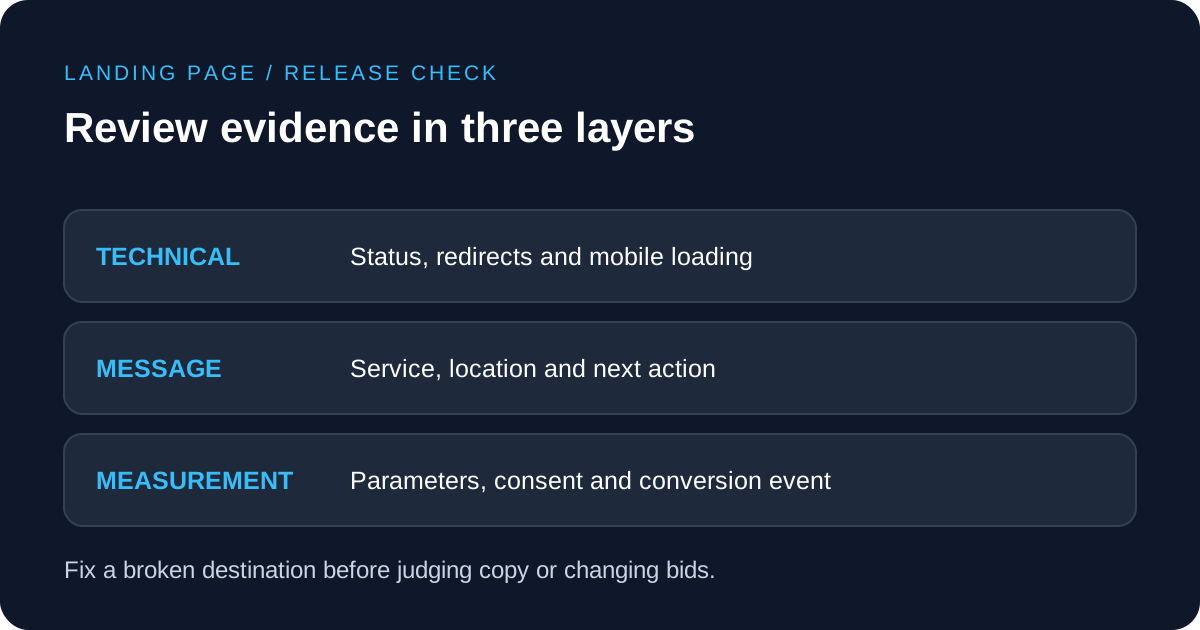
On mobile, inspect the first screen, navigation, consent layer, contact form and telephone link. Test whether the keyboard covers important controls, whether error messages explain what to fix and whether a successful submission gives reliable feedback. Speed matters, but a fast page with the wrong service or a broken enquiry form is still a poor destination. Record separate technical, content and measurement findings so the appropriate owner can fix each issue without replacing an entire page unnecessarily.
Reconcile conversions and keep a release checklist
After repairing a URL, confirm that approved parameters survive the redirect and reach analytics in the intended fields. Test the consent state applicable to the market and verify the primary conversion event without exposing personal information. Separate a page view, form start, form submission and qualified lead. The landing-page report can show traffic and page-level performance, but a sales or CRM process is still needed to determine whether the enquiry matched the service.
Keep a concise release checklist: test final and expanded URLs, verify mobile and desktop responses, compare the message, complete the enquiry path, inspect measurement and confirm automated URL controls. Review the highest-spend destinations after significant site releases, tracking changes or campaign automation changes. For Google Ads management, bring the URL register, screenshots or status evidence, conversion definitions and page-owner decisions. That evidence supports a focused correction instead of changing bids to compensate for a destination problem.