A landing page third-party script audit identifies code supplied by analytics, advertising, consent, chat, video, scheduling and testing vendors, then checks whether each integration still earns its cost. These scripts can support measurement and customer contact, but they also add network requests, JavaScript execution and dependencies the website team does not fully control. On a service landing page, that cost can delay the first useful content, make a form feel unresponsive or introduce a failure between an advertisement and an enquiry. The answer is not to remove every marketing tag. It is to build an evidence-based inventory, protect the essential customer path and give each integration an owner, purpose, consent requirement and loading rule. This checklist explains how to inspect a live page, compare realistic tests, reduce unnecessary work and verify measurement after a change without claiming that one laboratory score predicts business results.
Define the landing-page journey before inspecting code
Start with the visitor task the page must support. For a service business, that may be understanding the offer, checking coverage, calling a number, submitting an enquiry or booking an appointment. Write the shortest valid journey from arrival to confirmation. Include the consent choice a visitor may see and the evidence that proves the enquiry reached its destination. This customer path becomes the boundary for the audit: a script is valuable when it supports a defined need, not simply because it appears in an old tag container.
Choose representative pages and test conditions. Include the paid landing page that receives meaningful traffic, a relevant service page and any page with a different form, embed or chat tool. Test on a realistic mobile device or emulation profile as well as desktop. Record the URL, time, device, connection profile, consent state and page version. Do not compare an uncached mobile visit with a warmed desktop visit and treat the difference as a vendor verdict. Comparable evidence matters more than a single attractive score.
Build a complete third-party inventory
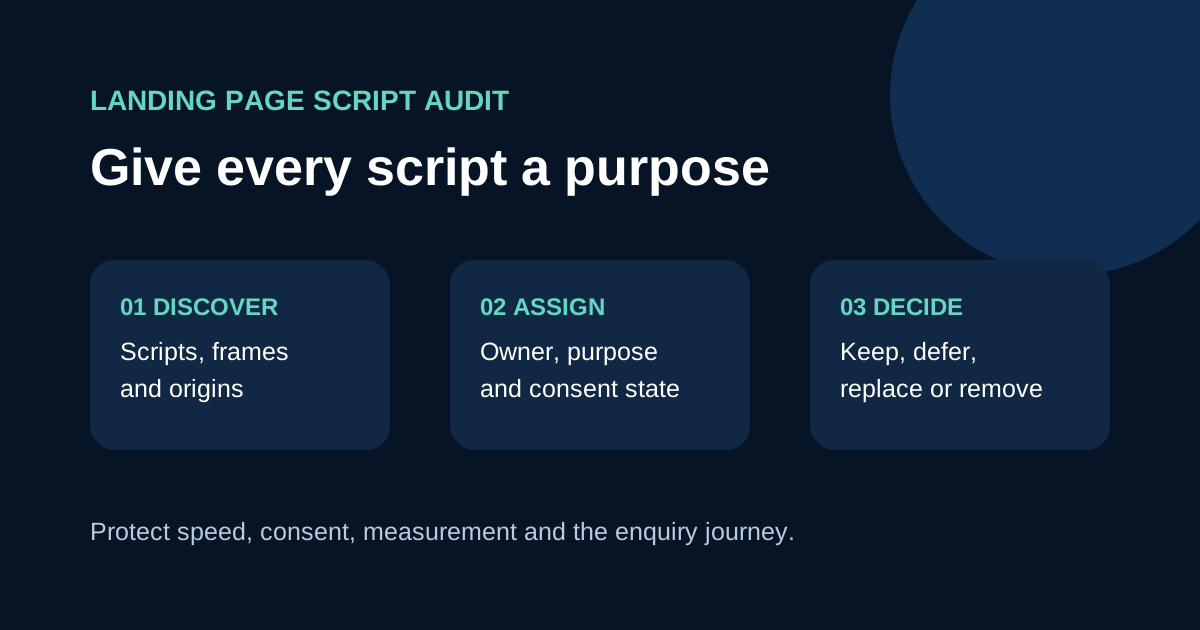
Inspect the rendered page and network activity, not only the source repository. A tag manager can load additional vendors, a video embed can request several origins and a consent platform can alter which resources appear after a choice. Group findings by purpose: analytics, advertising, consent, chat, scheduling, maps, video, reviews, experimentation and security. For each item, record the vendor, requesting origin, loading trigger, page scope, accountable owner, business purpose and last verified date. Mark whether it is visible to the visitor or operates in the background.
Chrome DevTools can filter third-party requests, while its performance tools help attribute work to origins. web.dev recommends using diagnostic tools to find costly integrations, then routinely auditing and removing redundant ones. Look for duplicate analytics products, two tag managers, legacy pixels, expired experiments and widgets loaded on every route even though they appear on one page. Inventory first; deleting a request before understanding it can break attribution or customer contact.
Measure cost with repeatable comparisons
Capture several runs because vendor responses, caches and experiments can vary. Review transferred bytes, request count, main-thread work and long tasks alongside page rendering and interaction. Then block one suspect origin in a development or diagnostic session and repeat the same journey. The difference shows the contribution under those test conditions; it does not prove that every real visitor experiences the same delay. Field data, where available and privacy-appropriate, helps show which pages, devices and interactions deserve attention first.
Connect technical evidence to the page task. A chat bundle that arrives after the primary content may be less urgent than an experiment script that hides the page during startup. A scheduling embed below the first screen may be a candidate for lazy loading, while a consent control may need to run early to establish the correct state. If the problem appears after a tap or keystroke, inspect interaction timing rather than assuming download size is the cause. Keep the audit distinct from a full INP investigation, but hand slow interactions to that process with the trace and steps to reproduce them.
Diagnose slow interactions with the INP guide →
Decide whether to remove, delay, replace or scope
Use four practical decisions. Remove an integration that has no current purpose or duplicates another tool. Delay a non-essential resource until after critical content or a relevant user action. Replace a heavy widget when a lighter supported option provides the required outcome. Scope a specialised integration to the routes where it is used instead of loading it site-wide. web.dev documents async, defer and lazy loading as useful techniques, but also warns that asynchronous loading does not make excessive script work disappear. Test the vendor's supported method before changing execution order.
Prefer a static preview or click-to-load placeholder for an offscreen video, map or scheduling interface when that still gives visitors a clear path. Avoid adding another library solely to lazy-load one embed when browser features can do the job. Preconnect only to an origin that is both necessary and likely to be requested soon; every speculative connection also has a cost. Self-hosting can improve control in some cases, but licensing, updates, caching and security ownership must be clear. Record the reason for the chosen treatment and who will review it later.
Protect consent and measurement while optimising
Performance work does not replace legal or consent review. Identify which integrations read or write storage, send advertising or analytics data, or process form information. Requirements vary by market and implementation, so involve the appropriate privacy owner. Google Tag Manager provides consent initialization, built-in consent checks and a consent overview for supported setups. Its documentation explains that consent initialization runs before other triggers and that third-party tools may have different built-in behaviour. Confirm the actual configuration rather than assuming a tag name proves compliance.
Test at least the states the implemented banner offers, such as no choice yet, denied and granted. Verify which network requests occur, whether the visitor can change a choice and whether required site functions still operate. After moving or delaying measurement code, confirm page views and approved conversion events in the relevant diagnostic tools. Do not submit real personal details when a safe test lead or staging destination is available. Document how test records will be identified and removed so the sales team does not mistake them for customers.
Release one change at a time and verify the enquiry path
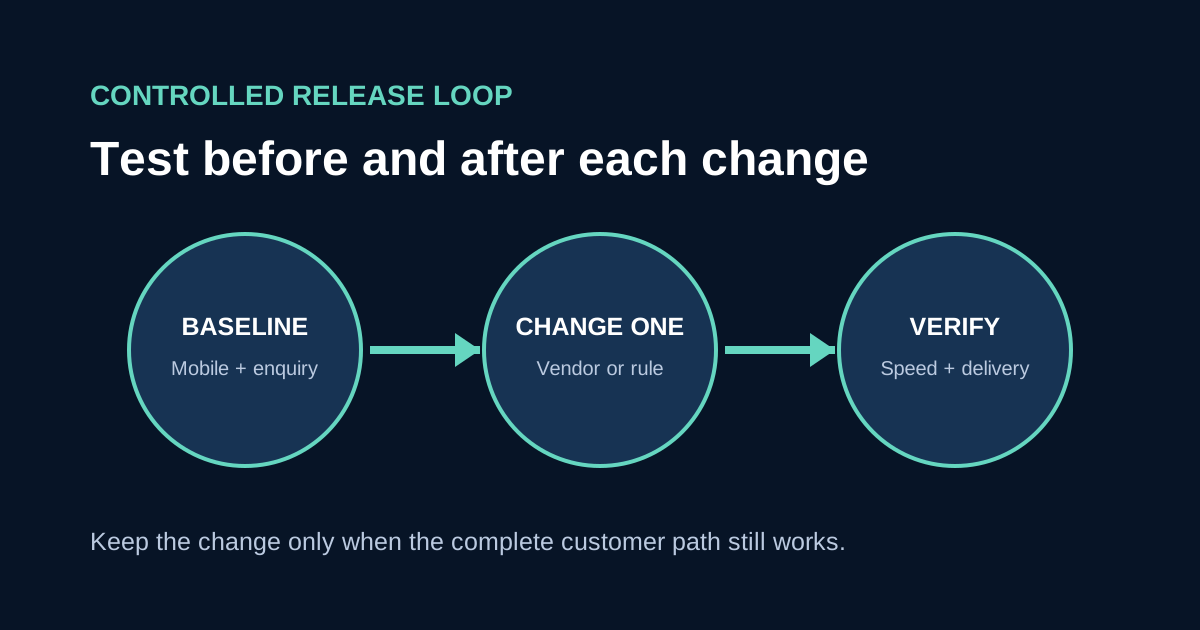
Use a controlled release. Save the baseline, change one integration or loading rule, run the same page and journey, then compare the result. Check visual content, navigation, form labels, error feedback, confirmation, click-to-call behaviour and lead delivery. Also inspect the browser console and network failures. A performance improvement is not acceptable if it suppresses the consent interface, drops campaign parameters, prevents a calendar from opening or fires a conversion event twice. Roll back when the customer path cannot be verified.
Close the audit with a register of decisions, evidence and review dates. Give every retained integration an owner and establish a small budget for third-party requests or main-thread work that suits the page. Revisit the list after a campaign launch, tag-container publication, new chat or scheduling tool, redesign or unexpected performance change. For a web development consultation, bring the page list, vendor inventory, consent states, diagnostic traces and test-lead evidence. That material allows the team to remove real waste while preserving the measurement and contact functions the business can justify.