A Google Business Profile service area should describe where an eligible business can actually visit or deliver to customers. It is not a list of cities added simply to appear in more searches. Google distinguishes storefront, service-area and hybrid businesses, and the correct setup depends on whether customers are received at the stated location. A service-area business that does not serve customers at its address should remove that address from public display, while an eligible hybrid business may show a staffed customer-facing location and also specify the areas it serves. Current Google guidance allows up to 20 areas based on cities, postal codes or other supported areas; it does not use an editable radius. This checklist helps a team choose the right model, protect private address information, define realistic coverage and keep the profile consistent with the website and enquiry process.
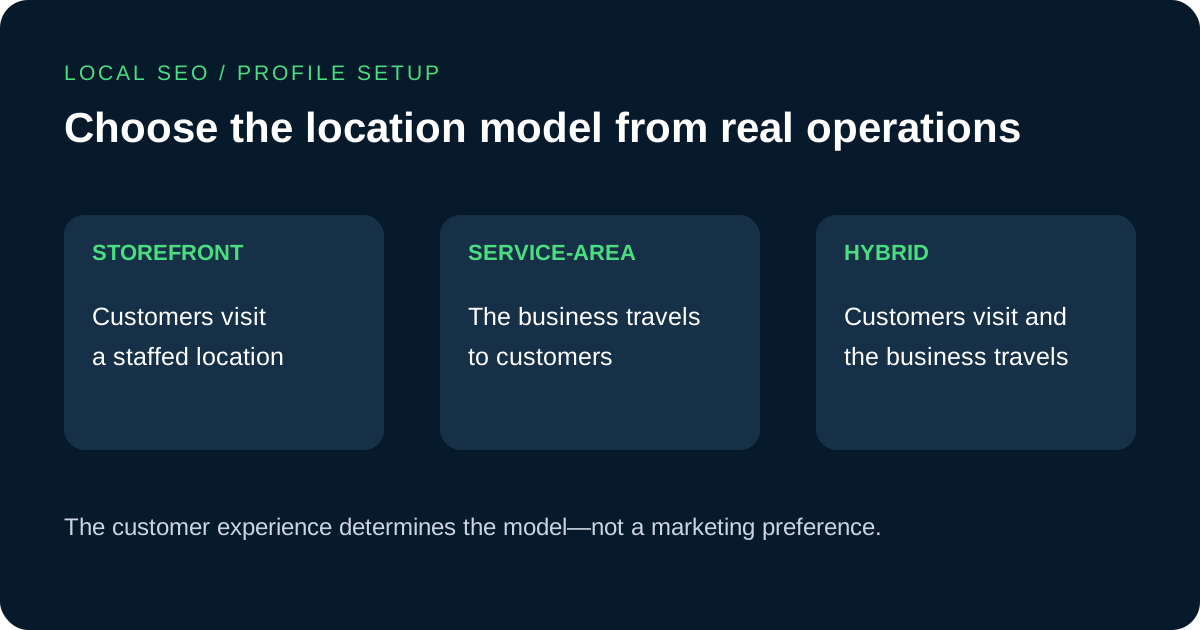
Classify the business from the customer experience
Start with a factual question: can a customer arrive at the listed address during the stated hours and receive the advertised service? A storefront business serves customers at a staffed location. A service-area business travels or delivers to customers and does not serve them at its address. A hybrid business does both. Google explains that a hybrid location needs to be able to receive customers and should have permanent on-site signage. The label should follow operations, not the type of profile a marketer believes will rank better.
Write down how appointments happen, where staff work, whether walk-ins are accepted and who can receive a visitor. If a residential address, shared mailbox or unattended office is not a customer-facing location, presenting it as a storefront can mislead customers. Google states that service-area businesses cannot list a virtual office unless it is staffed during business hours, and its broader representation rules require accurate real-world information. Resolve eligibility and location questions before changing categories, areas or website text.
Show or hide the address according to the model
If customers do not visit the business address, Google instructs the service-area business to remove the address from public display and use service areas instead. The management interface currently places this control under Edit profile and Location. The account may still need a real address for verification, but public display is a separate decision. Confirm the official process in the profile interface and Google's current help documentation before changing a verified location, because some material edits can prompt a review or new verification.
A genuine hybrid business may show its staffed address and add a service area. Check the public result after an approved edit: the address, map pin, directions control and service-area wording should fit the intended model. Avoid placing a private residential address in screenshots, task documents or public support threads. If the organisation has several operational locations, verify that each eligible profile has separate staff and a real base rather than duplicating one business across the same area.
Define a service area the team can fulfil
Build the area list from delivery capacity, travel time, staffing, licensing and language support. Google currently allows up to 20 service areas and asks businesses to use specific cities, postal codes or other supported area types. It also says the overall boundary generally should not extend beyond about two hours of driving time from the business base, while acknowledging that some business models may reasonably serve larger areas. Treat that guidance as an operational check rather than an invitation to fill every available slot.
Prioritise the places where the business routinely accepts and completes work. Do not add a distant city only because it has attractive search volume. If remote consultation is available internationally but on-site delivery is local, explain those two offers separately on the website and in enquiry responses. A Google Business Profile service area is meant to help customers understand direct local service; it does not need to represent every market that can buy a remote service.
Plan lead qualification around actual coverage →
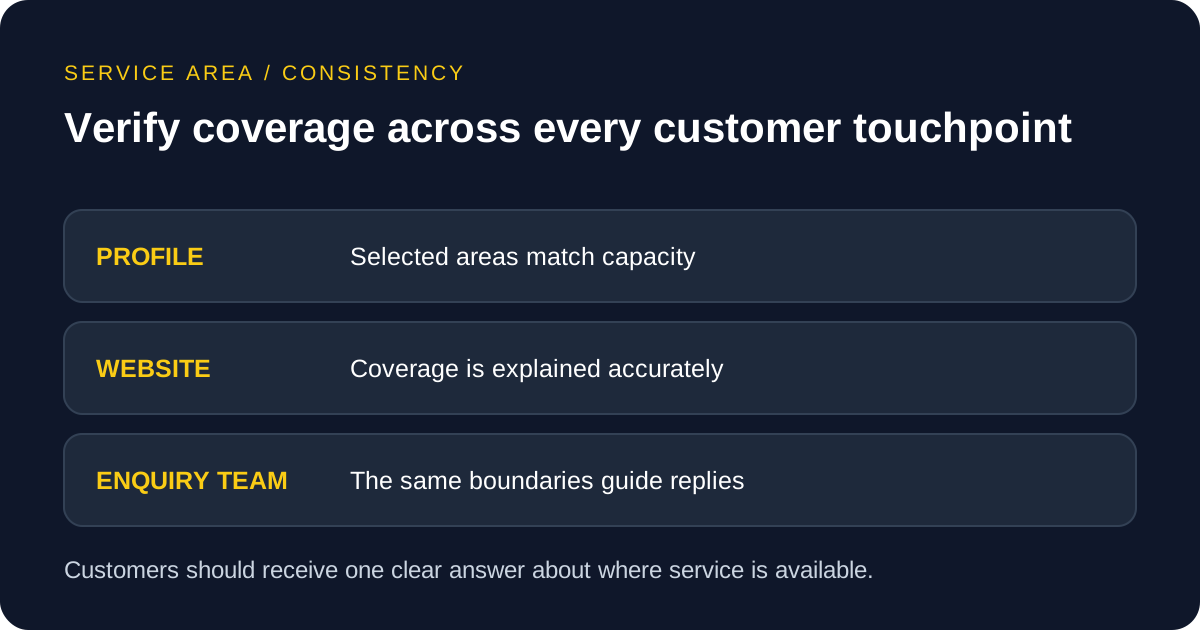
Enter areas without relying on an outdated radius
Google's current instructions say a service area cannot be set as a radius around the business. Older profiles that once used a radius cannot edit it in that form and need to specify supported places instead. In the profile, open Edit profile, choose Location, edit Service area and select suggested areas or enter supported places. Review the resulting names carefully because postal areas, districts and cities can overlap or be interpreted differently across countries.
Keep a dated internal list of selected areas and the business reason for each one. This makes later reviews easier when a team expands, stops a service or changes its base. Google notes that approved service-area edits may take time to appear, so do not submit repeated changes simply because the public view has not updated immediately. Check the profile again after the stated processing window and record the actual public result.
Align the profile, website and enquiry response
The website should help a visitor understand coverage without turning every city into a thin page. Create location or service-area content only when it provides distinct, useful information such as available services, delivery constraints, language, response process or local evidence the business is authorised to publish. Use consistent names for regions and services across the profile and website. Consistency supports clarity, but it should never be achieved by copying an inaccurate address or pretending to maintain offices that do not exist.
Give the enquiry team a simple coverage reference. A form can ask for a city or project location when that detail is genuinely necessary, but avoid collecting excessive personal information before the business knows it can help. Route borderline requests to a person rather than promising availability automatically. If the site supports Turkish, English or Arabic audiences, ensure each version explains on-site and remote coverage consistently and provides a realistic response route.
Verify the result and schedule a practical review
After an edit is approved, inspect the profile as a customer would. Confirm the address visibility, selected area wording, phone, website, hours and primary category. Compare them with the website and the team's real availability. Do not infer a ranking improvement from the fact that an area was added. Google describes local results in terms that include relevance, distance and prominence, and entering more areas is not a substitute for serving customers well or maintaining accurate information.
Review service areas when the business moves, changes staff coverage, adds or removes on-site services or receives repeated enquiries it cannot fulfil. Keep evidence of the approved profile state without storing unnecessary private address data. For an SEO management discussion, bring the current profile type, public view, actual coverage list, website location pages and examples of qualified and unqualified local enquiries. Those facts support a defensible local strategy rather than a map filled with aspirational locations.